 BetaLobby
For a new personal developer account, the rule for production looks simple: at least 12 testers, opted in to your closed test for at least 14 days in a row.
In practice, from development through closed testing to production, a few points are easy to misunderstand, and getting them wrong often costs an extra round of testing.
1Opted in is not installed, and installed is not opened every day
When a tester opens your opt-in link (play.google.com/apps/testing/<package>) and taps Become a tester, the opted-in count in Play Console goes up by one right away.
That only means they opted in. It doesn't mean they installed your app, and it certainly doesn't mean they open it every day.
Play Console tracks these as three separate numbers:
- Opted-in testers: what the application requirements count
- Installed audience: people who actually have your app installed
- Daily Active Users (DAU): people who opened your app on a given day
Where to find the last two, and why they matter so much when you apply for production, is covered with screenshots in "More testing required" on Google Play: 5 reasons and fixes.
2The 14-day countdown is not 14 days of real testing
On the dashboard, the countdown for "Run your closed test with at least 12 testers, for at least 14 days" is easy to read as proof that your test is good enough. It has little to do with how well you tested:
- It has nothing to do with installs. Whether or not anyone actually installs or opens your app, the 14-day countdown still starts.
- The 14 days don't stop. Once the 12th Google account opts in, the countdown officially starts, and it won't stop on its own before day 14, even if some testers opt out (Google's requirement is still at least 12 testers for 14 days in a row, so it's best to stay above 12).
- It resets automatically. Think of the 14 days as an hourglass that flips itself. If your last application was rejected, the countdown restarts on the day of the rejection, again regardless of installs or testing activity.
That's why this number can't be your measure of a good test: when the countdown finishes, it only means you can apply. It doesn't mean your test passed.
3Internal testing is not closed testing
After you create a new app in Play Console, the dashboard lists a series of tasks, and internal testing is first. Many developers assume it's a required step toward production and spend real time on it.
Play Console says so right under that task: "This is optional, and you'll still need to run a closed test before publishing to everyone in production."
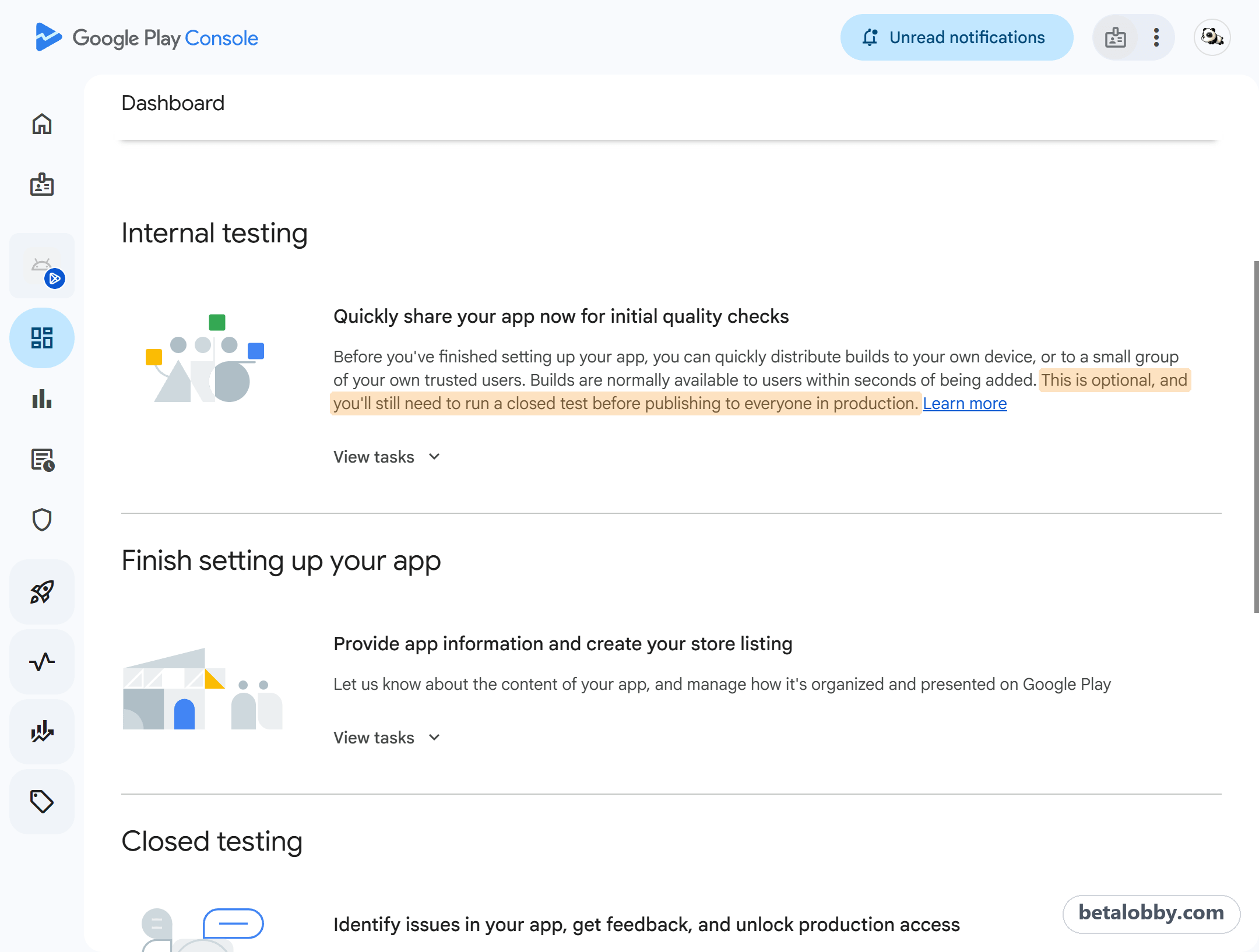
Internal testing doesn't count toward production access. The required part is closed testing: the 12 testers / 14 days rule only counts your closed testing track.
Internal testing is still a useful tool for sending a new build to a few trusted people fast. If you just want to install a new version yourself without waiting for closed testing review, try internal app sharing (Test and release > Testing > Internal app sharing) instead: upload a build and get an install link, no review, and only people with the link can install it.
Two things to watch with internal app sharing:
- The test phone has to turn on "Internal app sharing" in the Play Store settings first, or the link won't open
- Google re-signs internal app sharing builds with a different key. If your app uses Google Sign-In, add the internal app sharing certificate fingerprint to your OAuth client in Google Cloud too, or sign-in fails in that build
4Closed testing countries are separate from production
When picking countries / regions, many developers worry they can't change them later, so they only select the few countries they plan to launch in. That's a misunderstanding:
- They're independent. Closed testing and production are separate tracks, each with its own countries / regions setting. Selecting every country for closed testing doesn't affect launching production in just a few.
- You can change them anytime. Both tracks' countries / regions can be edited whenever you like. Just remember to go to Publishing overview and send the changes for review. They take effect once approved.
If your closed test is only open in a few countries, testers elsewhere get "Item not found" when they open your link. It's one of the 5 causes of "Item not found" on a closed testing link. So go ahead and select all countries / regions for your closed testing track. Recruiting testers gets much easier.
5Meeting 12 testers / 14 days doesn't guarantee production access
This is the last one, and the most expensive. Once all three requirements are ticked on the dashboard and Apply for production is clickable, a lot of people assume they're done.
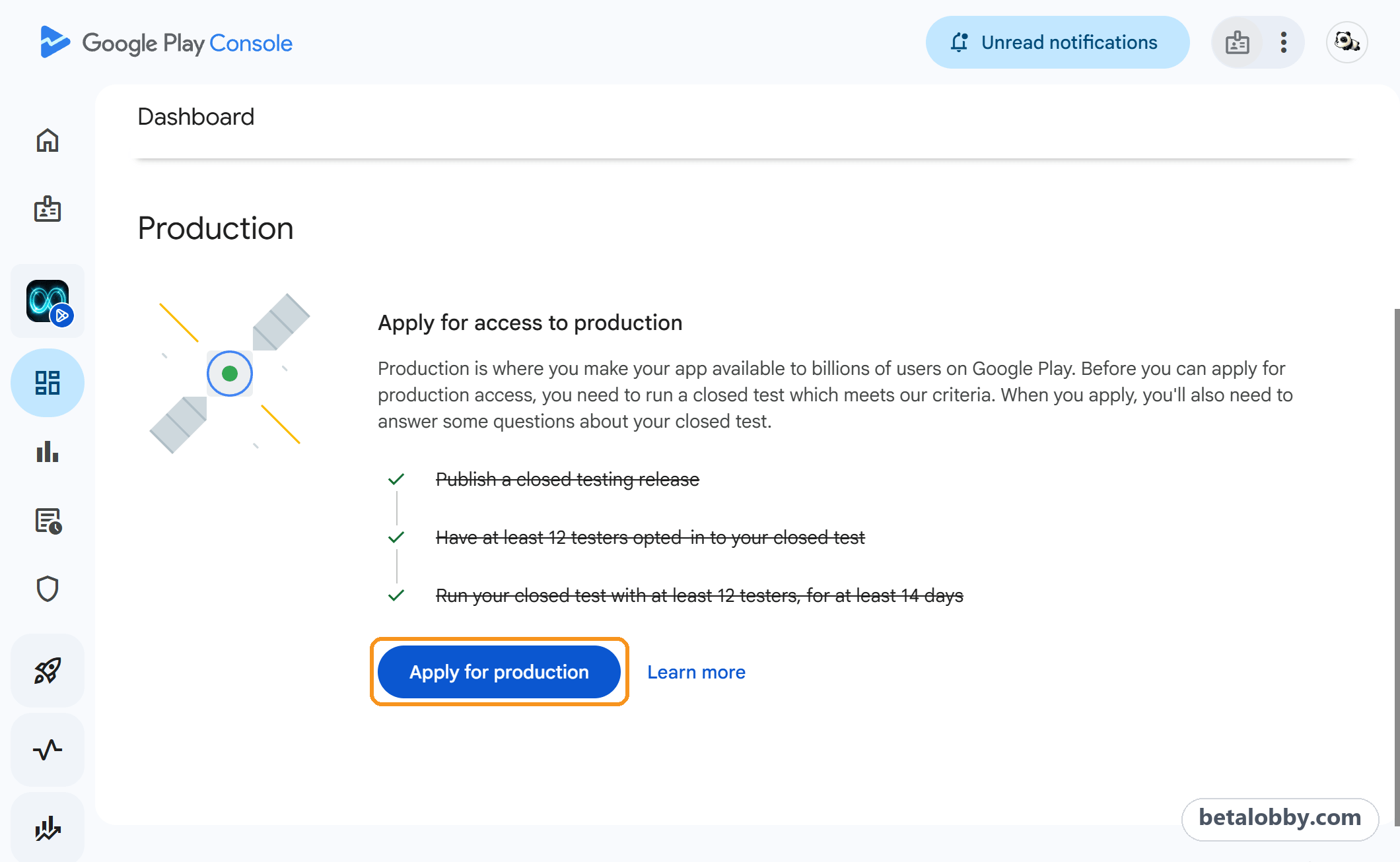
Those three requirements are only the bar for applying. After you submit, Google reviews your test: whether testers really used the app, whether you shipped updates based on feedback during the test, and how seriously you answered the questions. Fall short, and you get a "More testing required" email and another 14 days.
For how to check each part, see "More testing required" on Google Play: 5 reasons and fixes.
Final thoughts
The closed testing rule fits in one sentence, but every number in it can mean something other than what you think. Getting these 5 points straight can save you at least one extra round.
BetaLobby is a platform where developers help each other through closed testing, designed around exactly these traps:
- Everyone shares one Google Group, so you join once and can test every app on the platform
- Team mode requires your closed test to be open in all 178 countries / regions, so no teammate gets blocked by region
- Each daily check-in really opens your app, and you can see in the app how many testers checked in each day
Whether you get production access is still up to Google. But making sure testers actually install your app and actually open it every day is the part you can get right.