 BetaLobby
You open Play Console and there's a new card on the home page: Declare your trader status by February, 2027.
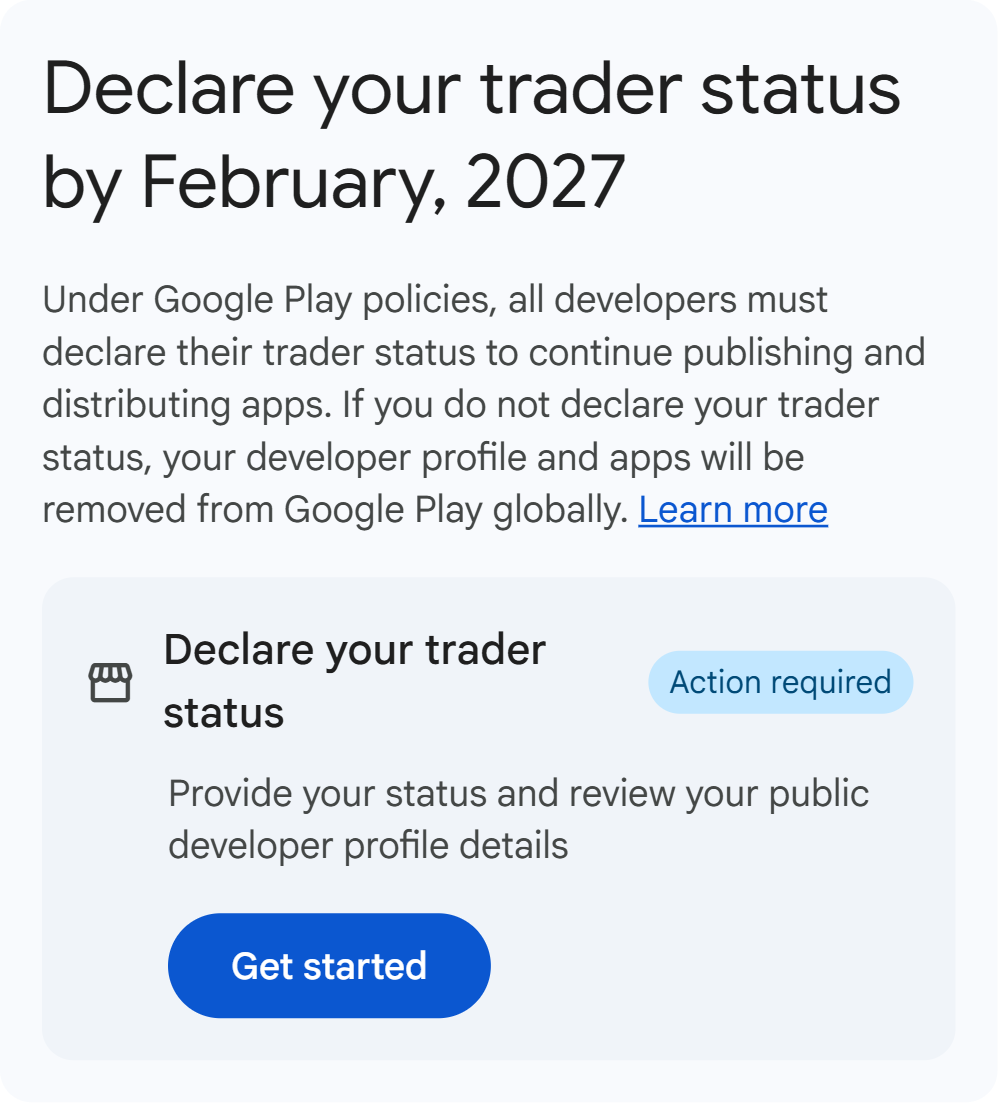
Your first thought may be: trader? I don't trade stocks. Read on and it says your apps will be removed from Google Play globally if you don't declare, and a wrong answer has consequences too. The button isn't hard to find. The hard part is understanding it well enough to click.
Below is how I read the Help Center and the EU guidance, based on the official documents as of November 2026. This isn't legal advice. If Google changes the rules or answers the open questions here, I'll update this post and note the date. Google also says it won't determine your status for you, so if you're unsure, ask a legal professional.
The short version
- Every active developer account must declare, wherever its apps are distributed. Existing accounts have until February 1, 2027, and new accounts declare when they're created. Play Console only says "by February, 2027"; the Help Center gives the exact date.
- "Trader" has nothing to do with stocks here. It means something close to a business or seller.
- If you earn from ads, in-app purchases, or paid downloads and distribute in the EEA or UK, you're probably a trader. Personal accounts then have their phone number and address shown publicly.
- If you don't distribute in the EEA or UK, the Help Center says you can declare as a non-trader.
- Don't pick an answer just to save effort. A false declaration is a much bigger risk than filling in a few extra fields.
What a trader actually is
The term comes from EU and UK consumer protection law, which roughly splits people into two groups:
| Who | Examples | |
|---|---|---|
| Trader | A person or company acting for purposes related to their trade, business, craft, or profession | An online shop, a developer earning from apps |
| Consumer | Someone buying or using a product for personal life | A regular user downloading an app |
So an individual can be a trader. It isn't only for companies. The Help Center gives 4 criteria and notes that the list isn't exhaustive:
- Profit-seeking motive: receiving money from your apps on a regular or commercial basis, or intending to, such as paid apps, in-app purchases, or ad revenue.
- Transaction volume: a high or consistent number, amount, or frequency of transactions.
- Business setup: managing app development and publishing as a business.
- Legal status: having a status that enables commercial activity, such as a D-U-N-S number.
On the other hand, if you're acting only as a hobby or for another non-commercial purpose, the Help Center says you're unlikely to be a trader.
Section 2.2 of the European Commission guidance also stresses that this is decided case by case. In one case it cites, a person had posted 8 listings for new and second-hand goods on a website, and the court said a profit motive or several listings at once wasn't enough on its own. That case is about someone selling goods, though. It doesn't mean a little ad revenue from an app automatically doesn't count.
What happens if you get it wrong
| Situation | Consequence | Risk |
|---|---|---|
| You're a trader but declare as a non-trader | If Google sees signs of this, it may ask you to confirm or update your status, and your apps may be removed if you don't respond in time. A false declaration can also get your account suspended or terminated | Highest |
| You're not a trader but declare as one | The docs don't describe a separate penalty, but you have extra steps, and a personal account's phone number and address become public | Mostly privacy |
| You never declare | Your app updates may be blocked and your apps removed from Google Play globally | High |
You can change your declaration. The Help Center says you can update it at any time if your business model or distribution changes.
However, if you declare as a trader and your phone number and address are public for a while, changing back won't undo what people have already seen or saved. That's my own inference; the docs don't mention it.
Also, the deadline hasn't passed yet, so there are no real enforcement cases to look at. Nobody knows yet how strictly Google will check.
Which is easier, and which is safer
Start with 3 questions:
- Do you distribute your app in the EEA or UK?
- Do you earn from ads, in-app purchases, or paid downloads?
- Are you running your app as an ongoing business, or is it purely a hobby?
| Your situation | Likely choice | Cost |
|---|---|---|
| Not distributing in the EEA or UK | Non-trader (explicitly allowed by the Help Center) | You lose users in those regions |
| Distributing there, purely a hobby, no income | Non-trader | Users there are told that consumer protection rights don't apply to their contracts with you |
| Distributing there, with ads, in-app purchases, or paid downloads | Trader | More public information and more steps |
If you only count the steps, non-trader is the shortest path. As for which is safer, it depends on your real situation: choose the one that actually describes you.
If you have income and keep distributing in those regions, you can't easily have both. You have two safe options: accept trader status, or leave those regions and declare as a non-trader.
As for whether very small ad revenue counts, the docs don't give a threshold. If you're right on the line, ask a professional rather than gamble.
What happens after you choose
If you declare as a trader:
- You self-certify that you only offer products or services that comply with applicable laws.
- You confirm your trader status for each app.
- The Help Center says you'll also be asked for a terms of service link for each app, but its public information list says "if you provided one". Check Play Console to see whether it's required.
- Personal accounts must provide a phone number.
Starting March 1, 2027, users worldwide can see:
- Your contact details. For personal accounts that are traders, this includes your phone number and address.
- Your D-U-N-S number. Google's account rules only require one for organization accounts, and this Help Center page doesn't say personal accounts need to get one.
- Your terms of service link, if you provided one.
In the EEA and UK, users can also see:
- Your developer or trader name instead of Google under "Offered by" in the app's details. This is because Google Play is moving to an online marketplace model in those regions on March 1, 2027.
- Your self-certification.
If you declare as a non-trader: the Help Center says your declaration is also shown to consumers in regions that require it. Google tells those users that consumer protection rights don't apply to their contracts with you.
This declaration is separate from developer identity verification. A D-U-N-S number you've already verified doesn't need verifying again.
Is your address already public?
That depends on Google's existing account information rules, not only on this declaration:
| Personal account | Existing rules | What this declaration changes |
|---|---|---|
| Has paid apps or in-app purchases | Your full address must already be public | As a trader, your phone number becomes public too |
| Ad revenue only | Developer name, legal name, country, and developer email are shown by default, but not your full address | As a trader, your phone number and address both become public. This group sees the biggest change |
| No income at all | Same as above | As a non-trader, the docs don't mention showing anything more |
So if you already sell paid apps or in-app purchases as an individual, the main new item is your phone number. If you earn only from ads, this may be the first time your address goes public.
What the docs don't make clear
I couldn't find clear answers on these, so I won't draw conclusions:
- Whether non-traders might have to show more later: the declaration page doesn't say directly. The existing account rules also mention that some regions may require a phone number or full address, so I can't promise they stay hidden.
- Whether you can use a non-home address: a business address or virtual office isn't mentioned.
- How much ad revenue counts: there's no threshold.
- Whether closed testing counts as "distributing": not mentioned at all.
That last one matters if you're still testing. Say you plan to leave the EEA and UK and declare as a non-trader, but your closed testing track is still available in those regions. I couldn't find out whether that counts as distributing there.
Countries and regions are set per track, so production and closed testing can differ. Until Google says clearly, it's worth asking Play Console support about this case.
That doesn't mean you need to stop your test. Existing accounts still have time before the deadline, and you can update your declaration later, so get the answer first and then choose.
Where to declare
Only click once you've decided:
- Home page: the Declare your trader status card, then Get started.
- Manage account: Manage account > Account details > About you. The home page card may be temporary, so this is the more permanent route.
- Traders also confirm per app: Monitor and improve > Policy and programs > App content.
The home page card says your apps will be removed globally if you don't declare, while the Help Center says enforcement may include removal. Either way, don't leave it past February 1.
If you're an individual developer, it's also worth checking Statistics in Play Console to see how many of your users are in the EEA and UK. A very low share and a very high share can lead to very different answers.
If your app is still in closed testing, 12 Testers for 14 Days: What "Continuously" Really Means covers what Google checks before production access. If you still need 12 testers, take a look at BetaLobby, a platform where developers team up for closed testing. 16 developers form a team and test each other's apps for 14 days.